How it works
Whoever calls shotgun runs the map. This is the map. Here is the two-minute version so the navigator looks like they have done this before.
00 The gist
Hand someone the phone. It clocks every leg, calls out the drives that are too long to do in one sitting, digs up pit stops and side quests to break them up, and sends the finished trip to your phone's maps and calendar. Set the basics up top (when you leave, what you drive, what gas runs you) and start dropping stops.
01 Add a stop
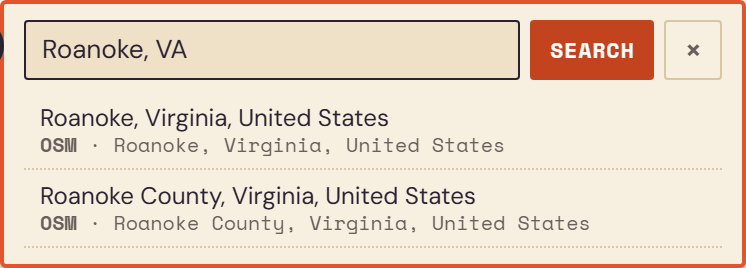
Tap Add your first stop, type a city, an address, or whatever a place calls itself, and pick it from the list. The little USPS / PLACE / OSM tags just say which map service found the match. Keep adding stops and it strings them into a route, in order, with distance and drive time on every leg.
02 Pit stops and side quests
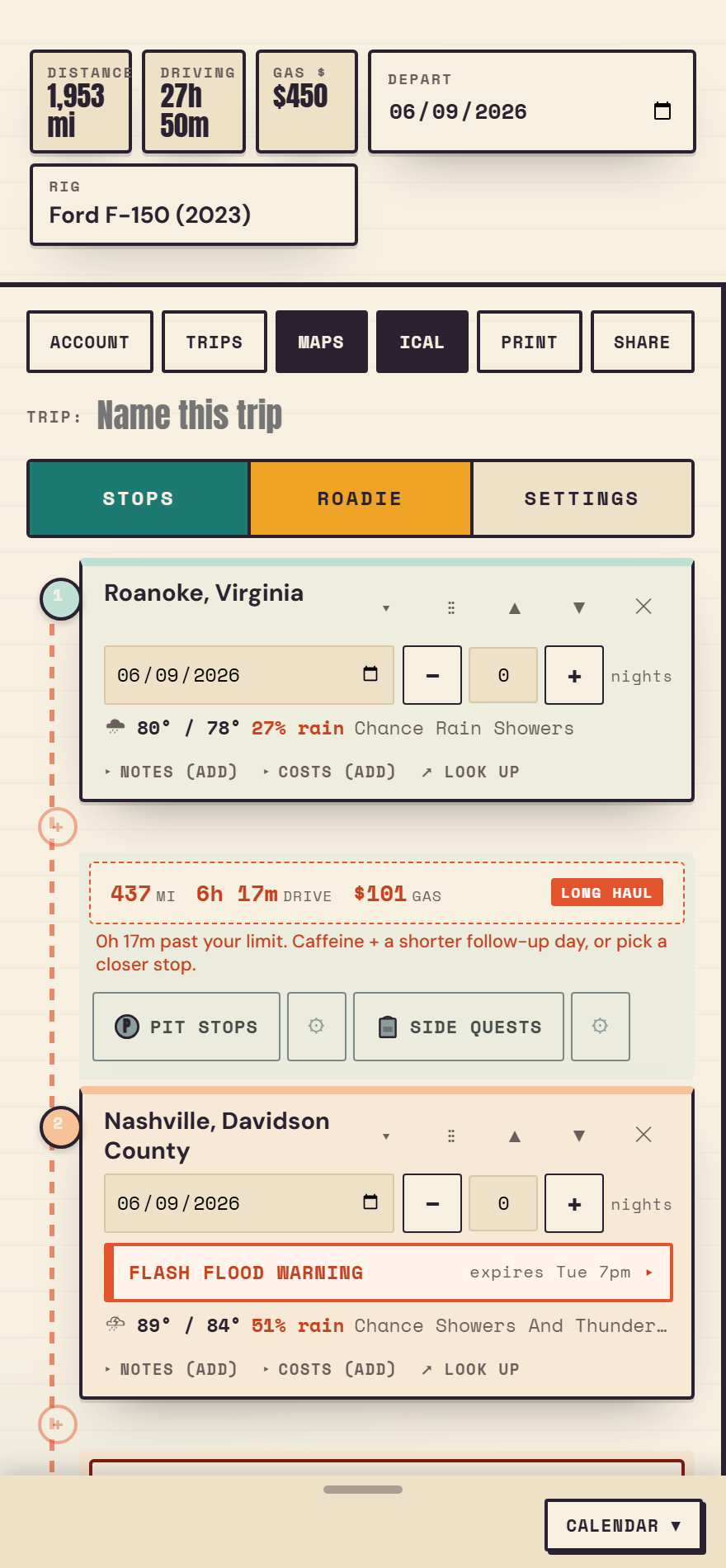
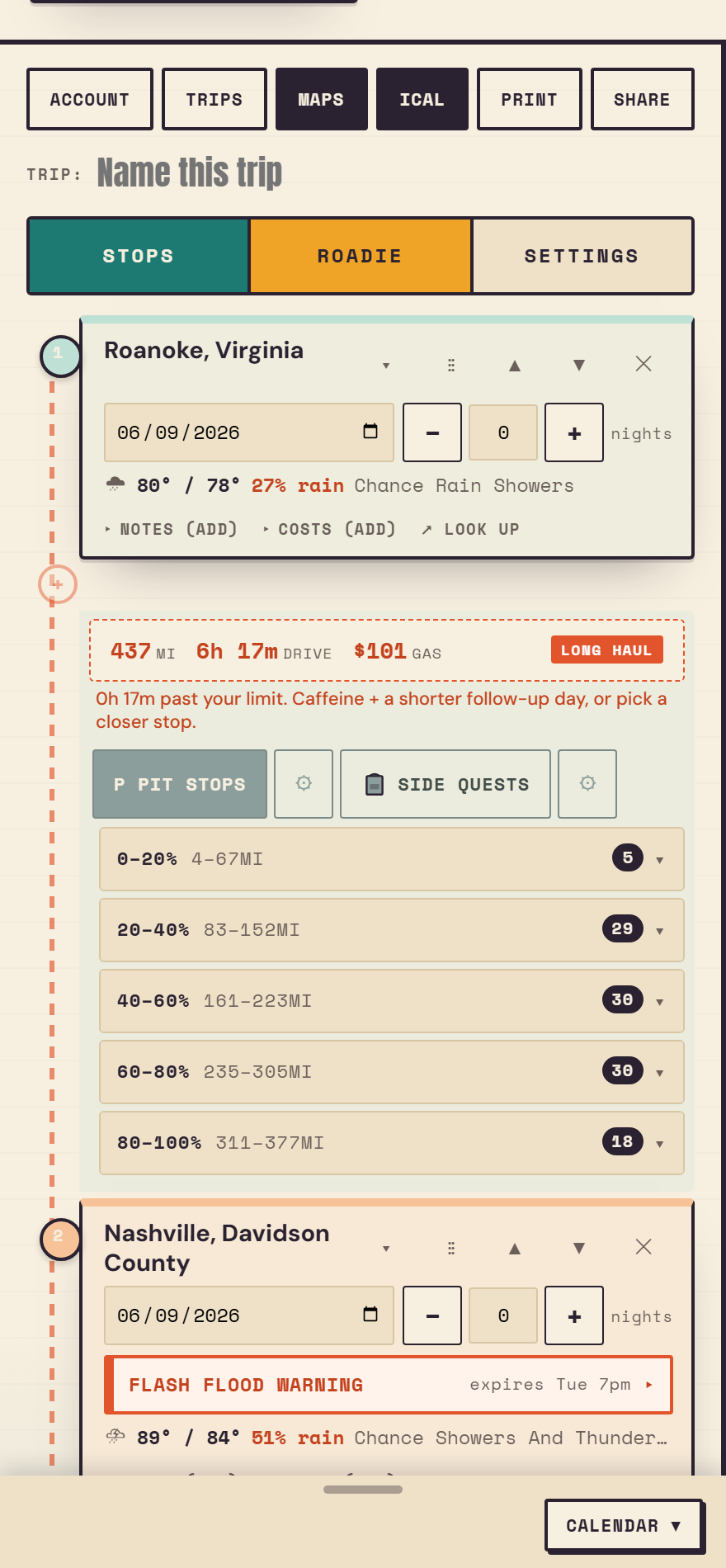
Between any two stops you get two buttons. Pit stops are the necessities: gas, food, a bathroom, a Buc-ee's the size of a small airport. Side quests are the reasons you took the long way: museums, overlooks, parks, the world's second-biggest ball of twine. Tap the gear next to either one to choose what counts. On a long leg it sorts the results into distance chunks, so you are not scrolling past two hundred gas stations to find the one you want.
Add one and it tucks under the leg as a little pill. Like it enough to stay the night? Upgradde promotes it to a full stop. (Yes, the spelling is on purpose.)
03 The Google Maps move
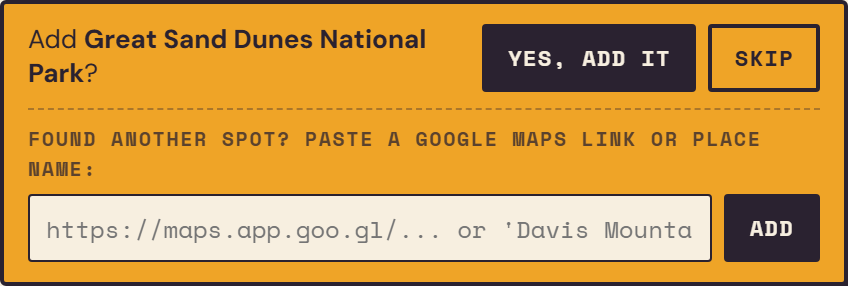
Two ways to pull in a spot you found on Google Maps. One: tap Look up on any stop to open it in Google Maps, poke around, and when you flip back the app asks if you want to add what you were just looking at. Two: found something yourself? Copy its share link, paste it into the Paste a Google Maps link or place name box, hit Add, and it drops in as a stop. Short maps.app.goo.gl links and plain place names both work.
04 Sign in (and why you would)
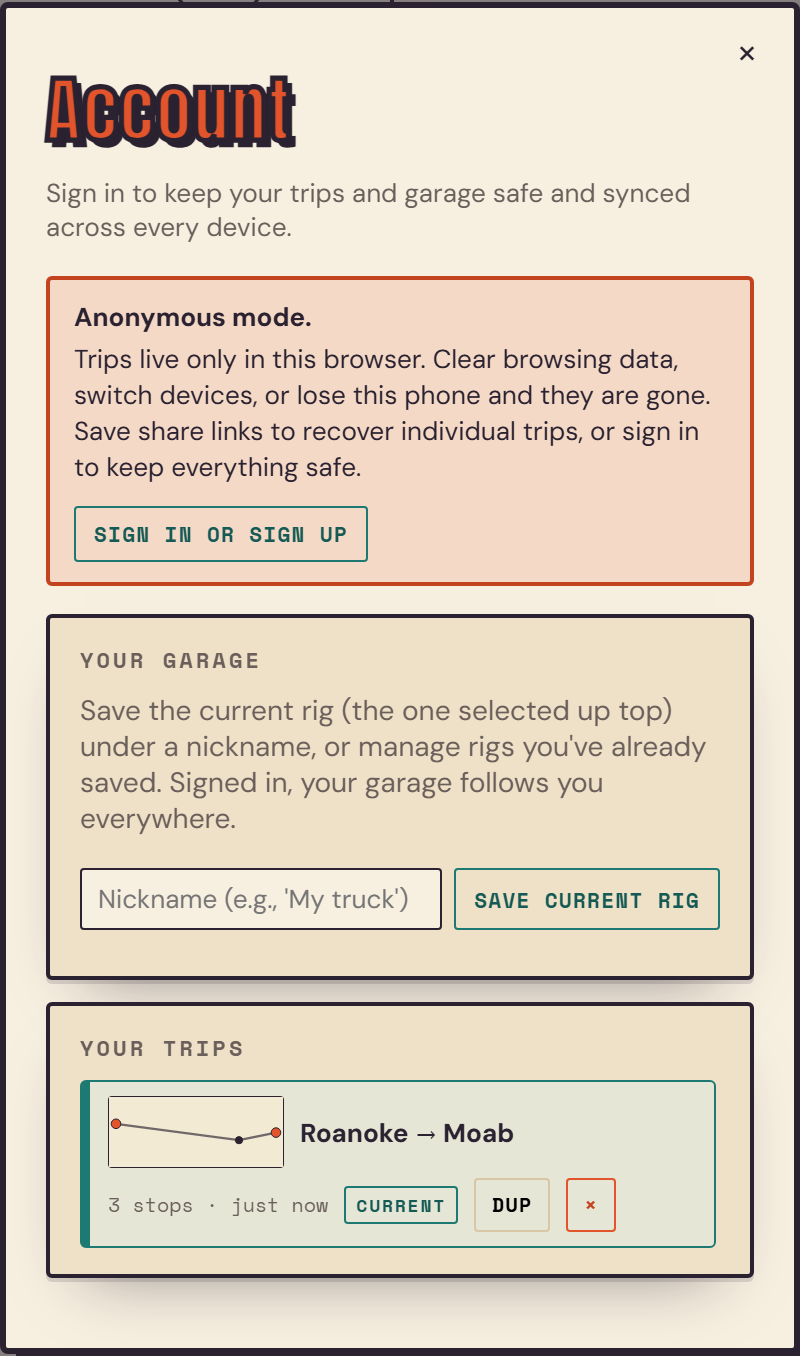
The whole thing works without an account. The catch: your trips and garage live on that one browser, so clearing history or switching phones loses them. Sign in (the Account button, or the prompt inside Trips) and everything syncs to every device you touch. Signing out is one tap when you are done.
05 The garage
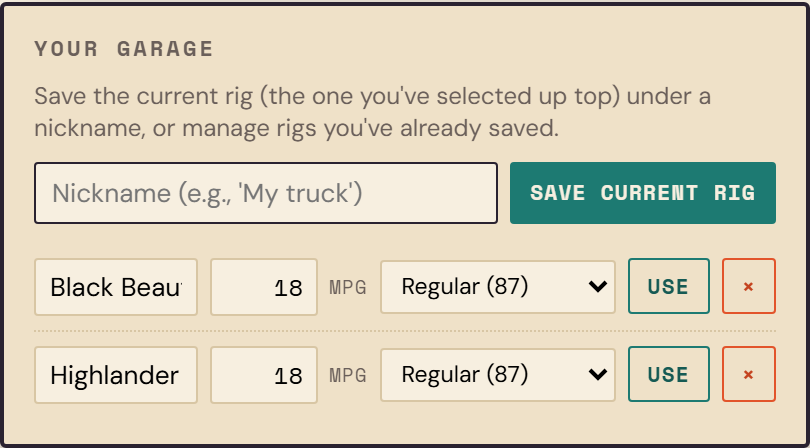
Save the rigs you actually drive, each with a nickname, real MPG, and fuel grade, so the gas math is right without you retyping it every trip. Tap Use to load one onto the current trip. Signed in, your garage rides along to every device.
06 Trips
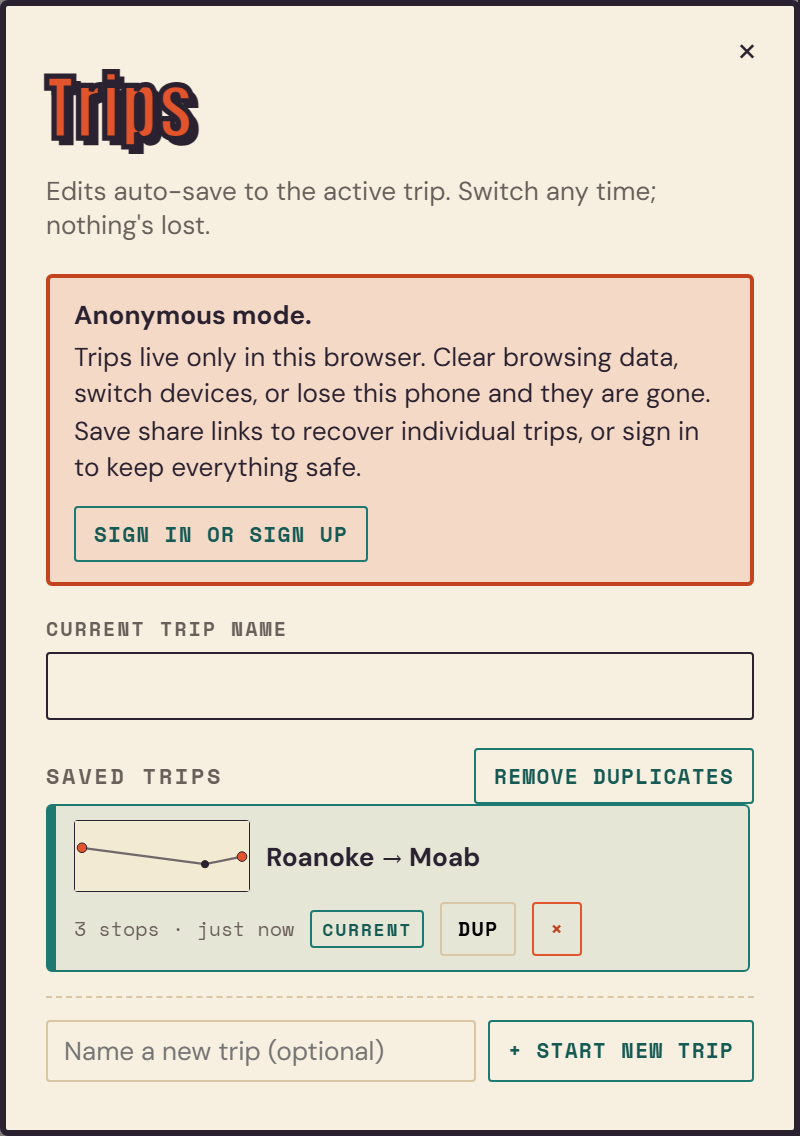
Every change saves itself to the trip you are on, so there is no save button to forget. The Trips button switches between trips, starts new ones, duplicates a trip you want to fork, and renames. Ended up with three copies of the same drive? Remove duplicates sweeps them up.
07 Sharing
The Share button copies a link that loads the exact trip for whoever you send it to. They get their own copy to mess with, and it never touches yours. Handy for talking friends into the detour before anyone has committed to driving it.